 Maxim
Maxim DroidDesk.io — rent real phones,
or earn with yours.
An independent look at the remote-access marketplace for real Android smartphones — what it is, the methods it uses, how to get started, what it costs, and where to be careful.
What DroidDesk.io is trying to be
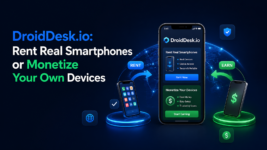
DroidDesk.io is a two-sided marketplace built around a single promise printed across its homepage: rent real smartphones, or earn with yours. Renters pay to remotely control a physical Android phone somewhere in the world; hosts plug in spare devices and earn when those phones are rented.

The whole proposition rests on authenticity. Where many competitors run emulators or cloud-simulated devices, DroidDesk.io insists on real hardware, real mobile or residential networks, and real locations. This review walks through that claim, the methods behind it, a hands-on look at the dashboard, pricing, and the trade-offs worth knowing before you sign up.
Scope note: this is a desk review based on the public site and dashboard as seen in June 2026. The vendor’s technical claims are reported as claims, not independently audited facts.
Two audiences, one platform
- Renters — get temporary control of a genuine Android device of a chosen model, location, and connection (5G / LTE / Wi-Fi), with nothing to set up.
- Hosts — connect an unused phone, keep it physically with them, and track earnings from a dashboard as it gets rented.
Structurally it behaves like other peer-to-peer marketplaces: DroidDesk.io brokers supply (hosts’ phones) and demand (renters’ sessions) rather than running one fixed in-house fleet.
From catalog to live session
The renter journey is three moves: choose a device, pick a plan, launch. Hosts mirror it from the other side — connect a phone and watch the dashboard. The diagram below maps the relationship and the four method pillars covered next.

The methods it uses
Every part of the design points at one goal: make a remotely operated phone look, in its observable signals, like a phone being used normally by a local owner. Five pillars carry that.
1 · Real physical hardware
Sessions run on physical Android phones with genuine sensors, battery state, and native system behavior — not emulators or virtual profiles. Real hardware emits fingerprints (sensor data, identifiers, performance, battery telemetry) that simulated environments struggle to fake.
2 · Real mobile & residential networks
Devices connect through real SIM/eSIM mobile links or residential Wi-Fi — actual carriers or home internet, not datacenter routing. Traffic therefore originates from ordinary-looking consumer IP ranges rather than flagged datacenter signatures.
3 · Real geographic placement
Phones sit in real cities, so device, network, timezone, and location stay internally consistent. The method is coherence: nothing contradicts the claimed location, which is far harder for verification systems to challenge than a spoofed coordinate.
4 · Native Android experience
Google Play Services, push notifications, permissions, background modes, app behavior, and restarts all work natively, preserving the behavioral signals that separate a lived-in phone from a fresh test instance.
5 · Full, pre-configured control
Depending on plan, renters get screen control, app usage, APK installs, permission and settings access, and eSIM activation — delivered turnkey, with no device or network setup required.
How to use it
After signing up you land on a clean dashboard. The left rail holds Dashboard, Devices, Active Rentals, Logs & Reports, Finances, Refer & Earn, News, Profile and Help Center; the center shows a balance and a prompt to rent; the right rail has quick actions and recent activity.

Create your account
Hit Get started on the homepage and register. You arrive at the dashboard with a “Ready to rent a device?” prompt.
Top up your balance
New accounts start at $0.00. Use Top up to add funds before renting — plans are billed per rental period.
Apply your promo code
Enter the code 3D29DFEB at sign-up or in the Finances / Top up area to claim the referral bonus before you pay (see the voucher below).
Open the catalog
Click Go to catalog (or Quick actions → Rent a device) and filter by model, location, and connection type — 5G, LTE, or Wi-Fi.
Pick a plan & launch
Choose a duration from 1 hour to 1 week, confirm, and the session starts in minutes. Control the phone from your desktop.
Track everything
Watch live sessions in Active Rentals, review history in Logs & Reports, and manage spend in Finances.
Save on your first top-up
Apply this referral code at registration or top-up to claim the sign-up bonus. (It’s a referral code — the reviewer may receive a small credit when it’s used.)
Plans & pricing
Four published tiers, each billed as a full rental period. Hourly figures are for comparison only — longer plans cost less per hour and unlock more.
| Plan | From | Effective | Key access |
|---|---|---|---|
| 1 hour | $5 | ~$5.00/hr | Browser-only (Chrome, Firefox, Opera, Kiwi) |
| 3 hours | $7 | ~$2.33/hr | Browser-only, longer focused sessions |
| 1 day Most popular | $15 | ~$0.63/hr | Standard apps + Google Play install; eSIM (extra fee) |
| 1 week Best value | $60 | ~$0.36/hr | Everything in 1 day + manual APK install + full eSIM & settings |
- Google Play installs start from the 1-day plan.
- Manual APK install is 1-week only.
- eSIM activation needs a compatible device and may need support.
- Monthly and longer rentals are quoted individually on request.
Where it fits — and where to be careful
Clearly legitimate
- App testing, QA, and mobile checks on real handsets
- Localization and geo-specific verification
- Ad verification and e-commerce operations
- Social-media workflow and account-environment checks
Policy-sensitive
- Bonus hunting, airdrop farming, multi-accounting
- Reputation management, ticketing, betting workflows
- Affiliate / crypto workflows that may breach a platform’s terms
Scorecard & verdict
Strengths
- A genuinely differentiated, well-presented concept.
- Transparent, clearly gated pricing.
- Low-friction onboarding — a real win for QA and localization teams.
Open questions
- Thin public disclosure on the company, security, and data handling.
- Key technical claims are self-reported, not independently shown.
- Host-side liability and support specifics are lightly covered.
DroidDesk.io is a clean, credible marketplace with a real edge for lawful testing, localization, and verification work. Approach it with eyes open: trust the claims only as far as you can verify them, and stay well clear of using it to evade other services’ anti-abuse controls.
Disclaimer & references
This is an independent desk review based on public material at droiddesk.io and a logged-in dashboard view (June 2026). It is not financial, legal, or security advice, and not a paid endorsement by the platform. The promo code 3D29DFEB is a referral code; using it may credit the reviewer. Vendor technical claims are reported as claims. “DroidDesk” is also used by unrelated projects (an open-source Android-to-Linux desktop tool and separate screen-mirroring apps); this review concerns droiddesk.io specifically.
[1] DroidDesk — official site: https://droiddesk.io/
[2] DroidDesk — How it works, Real devices, Plans, Use cases, FAQ, and renter dashboard (droiddesk.io, June 2026).